In the fast-paced fashion industry—especially in hubs like Ludhiana—efficient workflows can make or break a collection. Flowcharts turn complex processes into clear, visual maps, helping designers, manufacturers, and brand owners spot bottlenecks, assign responsibilities, and plan strategically. Canvoscape's browser-based Flowchart Tool lets you build professional diagrams in minutes—no software installation, fully private, and export-ready.
Why Flowcharts Are Essential in Fashion
Flowcharts eliminate confusion in multi-step processes like garment production, seasonal planning, or supply chain coordination. They improve communication across teams, reduce errors, and help scale operations efficiently.
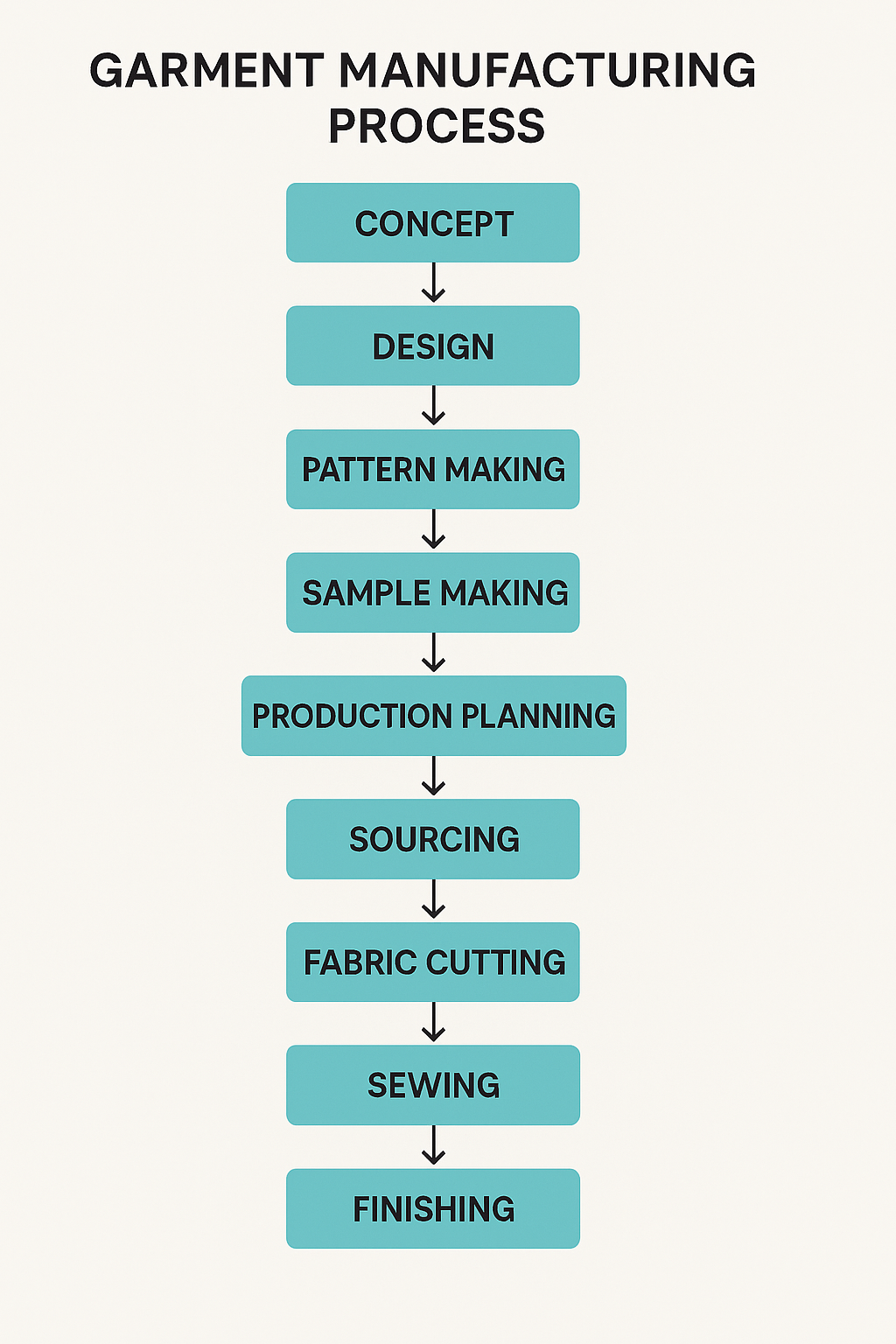
10 Practical Flowchart Tips for Clothing & Brand Workflows
-
Start with a Clear Objective
Define the goal first—e.g., "Map the full production cycle from sketch to shipment" or "Plan a seasonal brand launch." This keeps your flowchart focused and actionable.
-
Use Standard Symbols Consistently
Oval for start/end, rectangle for process steps, diamond for decisions, arrows for flow. Consistency makes diagrams easy to read for suppliers, factories, and team members.
-
Break Down Design Phases
Separate ideation → mood board → tech pack → sampling → revisions. Add decision points like "Fit approved?" to catch issues early.
-
Map Supply Chain Dependencies
Show parallel paths for fabric sourcing, trimming, dyeing, and cutting. Highlight lead times and critical paths to avoid delays.
-
Include Roles & Responsibilities
Add swimlanes (vertical/horizontal lanes) for Designer, Merchandiser, Production Manager, and Vendor. This clarifies who owns each step.
-
Add Timelines & Milestones
Annotate steps with estimated weeks (e.g., "Fabric approval: Week 4"). Perfect for seasonal calendars and collection deadlines.
-
Plan Brand Marketing Flows
Map content creation → photoshoots → social media → influencer outreach → launch. Include feedback loops for campaign adjustments.
-
Identify Bottlenecks Early
Use color coding: red for high-risk steps (e.g., customs clearance), green for smooth. This helps prioritize improvements.
-
Keep It Simple & Iterative
Start basic, then refine. Export versions and share links for team feedback—Canvoscape makes real-time editing seamless.
-
Export & Integrate
Download PNG/SVG for presentations, tech packs, or supplier briefs. Embed in PDFs alongside symmetry patterns and charts.
Ready to Optimize Your Fashion Workflows?
Create clear, professional flowcharts instantly—no signup, fully browser-based, and perfect for clothing production and brand planning.
Conclusion
Flowcharts bring clarity and efficiency to every stage of fashion—from initial sketches to brand launches. With Canvoscape's free Flowchart Tool, you can map complex clothing workflows and strategic plans quickly and professionally. Start visualizing your processes today and watch your operations become smoother and more scalable.